How to Make Captivating Slideshow Videos for TikTok (And Boost Your Etsy Shop)
Introduction: The Power of TikTok Slideshows for Etsy Sellers
In today’s fast-paced digital marketplace, standing out is not just an advantage—it’s a necessity. For Etsy sellers, visual storytelling is the cornerstone of success, and TikTok has emerged as a powerhouse platform for driving discovery and sales. One of the most effective and accessible video formats on the app is the slideshow video. These videos, which stitch together a series of images or short clips with engaging music and text, are perfect for showcasing products, sharing behind-the-scenes processes, and telling your brand’s story. The best part? You don’t need a professional videography studio. With the rise of artificial intelligence, creating high-quality, engaging slideshow content has never been easier. In this comprehensive guide, we’ll walk you through the exact steps to create viral-worthy TikTok slideshows and introduce you to the best AI tools for Etsy sellers to streamline and elevate the entire process.
Why Slideshow Videos Are a Game-Changer for Your Etsy Shop
Before we dive into the “how,” let’s understand the “why.” TikTok’s algorithm favors content that keeps users on the platform. Slideshow videos are inherently engaging because they:
- Showcase Multiple Products Quickly: Perfect for collections, color variations, or “get ready with me” style posts.
- Simplify Complex Processes: Break down your creation process into digestible, beautiful steps.
- Increase Watch Time: The natural progression from one image to the next encourages viewers to watch till the end.
- Are Highly Shareable: Emotional, inspirational, or educational slideshows often get saved and shared, expanding your reach exponentially.
- Leverage TikTok’s Music Library: Syncing your slides to trending audio can catapult your video into the For You Page (FYP).
Integrating the best AI tools for Etsy sellers into this workflow can automate editing, generate creative assets, and provide data-driven insights, freeing you up to focus on what you do best: creating.
Step-by-Step: How to Make a TikTok Slideshow Video
Step 1: Planning Your Content & Storyboard
Every great video starts with a plan. Define your goal: Is it to launch a new product, show a “before and after,” or share a customer testimonial? Sketch a simple storyboard. Decide on the sequence of images/videos (aim for 10-15 slides for optimal length) and note where text overlays or effects will go.
Step 2: Gathering Your Visual Assets
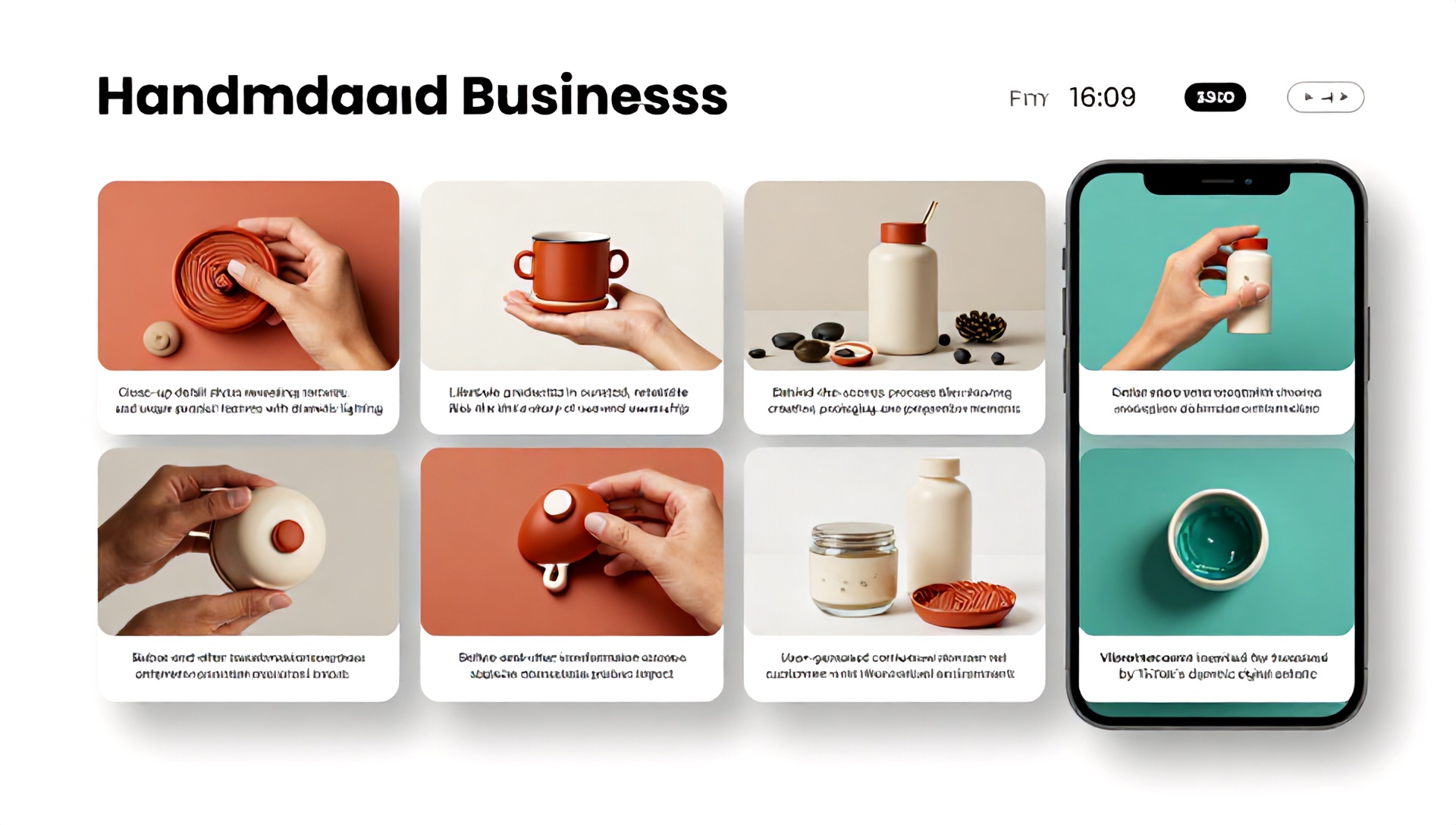
Quality is key. Use high-resolution photos of your products. Include:
- Detail Shots: Close-ups of textures, stamps, or unique features.
- Lifestyle Shots: Your product in a beautiful, relatable setting.
- Process Clips: Short videos of you creating, packaging, or testing.
- User-Generated Content (with permission): Customer photos add powerful social proof.
Step 3: Choosing the Right Music and Audio
Audio drives emotion on TikTok. Browse the “Commercial Sounds” or trending music in the app. Ensure the song’s mood matches your video’s message. Remember, you can adjust the volume of the original sound and your added voiceover later.
Step 4: Creating the Slideshow
Method A: Using TikTok’s Native Editor
- Open TikTok and tap the ‘+’ button.
- On the recording screen, select “Upload” from the bottom right.
- Select multiple images/videos from your gallery (you can select up to 35).
- TikTok will automatically compile them into a slideshow. Use the editing tools to:
- Adjust the duration for each slide.
- Add text, stickers, and voiceover.
- Apply filters and effects.
- Select your sound and proceed to the posting screen.
Method B: Using Dedicated AI Video Tools (Recommended for Professional Quality)
This is where leveraging the best AI tools for Etsy sellers makes a monumental difference. These tools can automatically:
- Sync slides to the beat of your chosen music.
- Apply smooth, cinematic transitions.
- Generate AI voiceovers for narrations.
- Resize videos for different platforms.
- Suggest optimal slide order based on engagement data.
Step 5: Adding Engaging Text and Captions
Use bold, easy-to-read text to highlight key points. Ask questions, state benefits, or create a narrative. Always use on-screen captions—many users watch without sound. AI tools can often auto-generate accurate captions.
Step 6: Optimizing for Posting
Craft a compelling caption with relevant hashtags (mix of broad like #EtsyShop and niche like #HandmadeJewelry). Tag your location if relevant. Use keywords your ideal customer would search for. Finally, schedule your post for when your audience is most active.
The Ultimate Toolkit: Best AI Tools for Etsy Sellers
To truly scale your content creation, incorporating specialized AI tools is non-negotiable. Here are the top categories and specific recommendations that rank as the best AI tools for Etsy sellers focused on video and marketing.
1. AI Video Creation & Editing Tools
These tools turn your image folders into polished videos in minutes.
- Pictory: Excellent for transforming blog posts (like your Etsy descriptions) or scripts into engaging video summaries. Great for creating “how-to” slideshows.
- InVideo: Features a massive library of templates, many tailored for social media. Its AI assistant can help write scripts and suggest media.
- Canva (Pro): While not exclusively AI, Canva’s Magic Studio suite offers AI-powered background removal, image generation, and smart video editing templates perfect for TikTok slideshows.
2. AI Image Enhancement & Generation Tools
Create stunning visuals without a photoshoot.
- Adobe Firefly: Integrated into Photoshop, it’s perfect for expanding image backgrounds, removing distractions, or generating unique graphic elements for your slides.
- Leonardo.ai: Fantastic for generating concept art, patterns, or product mockups in specific styles, which can be used as engaging slides in your videos.
- Topaz Photo AI: Automatically upscales and sharpens your product photos, ensuring every slide looks crystal clear even on large screens.
3. AI Copywriting & SEO Tools
Craft irresistible captions, descriptions, and hashtags.
- Jasper: Excellent for brainstorming video scripts, catchy captions, and product storytelling narratives for your slideshows.
- ChatGPT (GPT-4): A versatile workhorse. Prompt it to: “Write a 5-slide TikTok script showcasing my handmade ceramic mugs, focusing on the glazing process.”
- Everbee (Etsy-specific): An AI tool trained specifically on Etsy data. It helps generate optimized titles, tags, and descriptions, which can inform your video content keywords.
4. AI Analytics & Trend Forecasting Tools
Make data-driven decisions about your content.
- TrendTok or Pentos: Analyze TikTok trends, trending sounds, and hashtag performance to plan your slideshow themes.
- Google Trends (with AI interpretation): Use it to validate product ideas featured in your videos. Some AI tools integrate this data to suggest timely content angles.
Pro Tip: The most efficient sellers often use a stack of 2-3 of these best AI tools for Etsy sellers in combination—like using Canva to assemble visuals, an AI tool to generate a script, and another to analyze the optimal posting time.
Advanced Tips for High-Converting TikTok Slideshows
- Lead with Your Best Image: The first frame is your thumbnail. Make it stunning and curiosity-provoking.
- Use the “Green Screen” Effect: You can use a product image as your green screen background while you talk over it, adding a personal touch.
- Incorporate Duets and Stitches: Encourage interaction by creating slideshows that invite others to duet, perhaps showing their own handmade space or collection.
- Include a Clear Call-to-Action (CTA): End your video with a slide that says “Shop the link in my bio,” “Comment your favorite,” or “Follow for more tips.”
- Repurpose Content: A successful TikTok slideshow can be clipped for Instagram Reels, YouTube Shorts, or Pinterest Idea Pins, maximizing your effort.
Frequently Asked Questions (FAQ)
Q1: Can I use copyrighted music in my Etsy promotional slideshows on TikTok? A: For videos meant to directly promote and drive sales to your shop, it’s safest to use TikTok’s “Commercial Sounds” library or royalty-free music from sites like Epidemic Sound or Artlist. These are cleared for commercial use. Using trending popular songs is fine for general brand-building but may have limitations if used in paid ads.
Q2: How long should my TikTok slideshow video be? A: While TikTok allows videos up to 10 minutes, engagement is highest for videos between 15 to 60 seconds. For slideshows, 7-15 slides set to a fast-paced, popular song often perform very well. Let the content dictate the length, but always prioritize pacing.
Q3: What are the most important metrics to track for my Etsy-focused TikTok videos? A: Focus on:
- Watch Time & Completion Rate: Indicates engaging content.
- Click-Through Rate (CTR) on Your Bio Link: Directly measures traffic to your Etsy shop.
- Shares & Saves: Shows content is valuable enough to revisit or share with friends.
- Comments: A high comment count signals community engagement and boosts visibility in the algorithm.
Q4: Are the best AI tools for Etsy sellers expensive? A: Not necessarily. Many powerful AI tools (like Canva, CapCut, and even some features of ChatGPT) offer robust free tiers. For growing sellers, investing in one or two paid tools (typically $15-$50/month) that save multiple hours per week often delivers an exceptional return on investment through increased productivity and content quality.
Conclusion: Your Next Step Towards Viral Visibility
Creating engaging TikTok slideshow videos is no longer a complex, time-consuming task reserved for marketing teams. It’s an accessible, powerful strategy for any Etsy seller ready to tell their story and connect with a global audience. By following the step-by-step process outlined above and harnessing the power of the best AI tools for Etsy sellers, you can systematically produce content that captivates, educates, and converts.
Don’t let another day pass with your products hidden in the crowd. Your unique creations deserve to be seen.
Ready to transform your Etsy marketing? Choose one AI tool from our list above and create your first AI-assisted TikTok slideshow this week. Share your results and tag us—we can’t wait to see what you make!