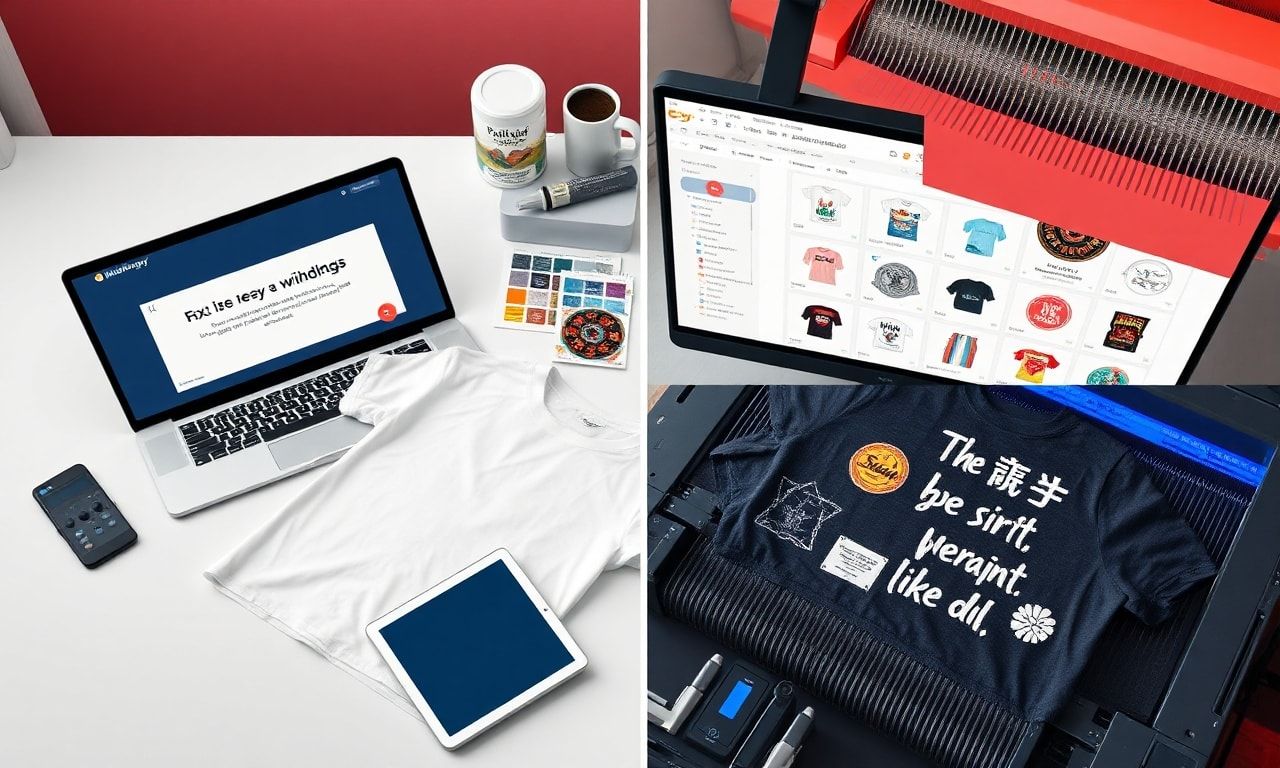
The Ultimate Guide: How to Design T-Shirts Using Midjourney & The Best AI Tools for Etsy Sellers
| Section | Key Takeaway |
|---|---|
| Introduction | AI tools like Midjourney are revolutionizing Etsy t-shirt design, making it accessible and scalable. |
| Why AI for Etsy? | AI solves key pain points: design skill gaps, time constraints, and trend identification. |
| Midjourney Deep Dive | Success hinges on mastering precise text prompts, parameters, and iterative refinement. |
| AI Tool Ecosystem | The best AI tools for Etsy sellers extend beyond image generation to mockups, text, and SEO. |
| From Design to Listing | A professional listing requires high-quality mockups, compelling copy, and strategic SEO. |
| FAQ | Addresses legality, originality, print quality, and starting prompts. |
| CTA | Begin your AI-powered Etsy journey by experimenting with a focused niche. |
H1: How to Design T-Shirts Using Midjourney: A Complete Guide for Etsy Sellers
The world of Etsy is a vibrant marketplace of creativity, and nowhere is this more evident than in the bustling POD (Print-on-Demand) and custom t-shirt categories. For years, success required either advanced graphic design skills, significant capital to hire designers, or reliance on overused clip art. Today, a seismic shift is underway, powered by Artificial Intelligence. Learning how to design t-shirts using Midjourney is not just a neat trick; it’s becoming an essential strategy for agile, creative, and profitable Etsy shops. This guide will not only walk you through the Midjourney process but also contextualize it within the broader suite of the best AI tools for Etsy sellers, empowering you to build a standout brand from concept to customer.
H2: Why AI-Powered Design is a Game-Changer for Etsy Sellers
Before we dive into the “how,” let’s understand the “why.” The independent Etsy seller faces unique challenges: standing out in a crowded market, managing time efficiently, and consistently generating fresh, appealing designs. AI design tools directly address these pain points.
- Democratizes Design: You no longer need a degree in graphic design. With a vivid imagination and the ability to craft descriptive prompts, you can generate professional-quality artwork.
- Unmatched Speed & Scalability: What might take a human designer hours can be generated in minutes. This allows for rapid prototyping, A/B testing of concepts, and building a large, diverse catalog quickly.
- Infinite Creativity & Niche Exploration: Stuck in a creative rut? AI can help you explore styles you’d never attempt manually—from vintage comic book art to hyper-realistic animal portraits in the style of Van Gogh. It’s perfect for drilling deep into specific niches (e.g., “cottagecore gardening puns” or “cyberpunk cat lovers”).
- Trend Responsiveness: By monitoring social media and using trend-aware prompts, you can use AI to quickly create designs that capitalize on emerging memes, phrases, or aesthetic trends, getting your products to market faster than competitors relying on traditional methods.
H2: Getting Started with Midjourney: Your AI Design Engine
Midjourney is a generative AI program that creates images from text descriptions (called “prompts”). It operates through Discord, a chat app. Here’s your launch sequence:
- Sign Up: Visit the Midjourney website and join the Beta. You’ll need a Discord account.
- Choose a Plan: Midjourney operates on a subscription model. Start with the Basic Plan if you’re experimenting. For serious Etsy store development, the Standard Plan offers better GPU time and relaxed generation modes.
- Navigate Discord: Once a member, find the Midjourney Bot in a newcomer channel. You’ll type your commands and prompts here.
The Core Command: All image generation starts with the /imagine command. Your journey begins with what you type next—your prompt.
H3: Mastering the Art of the Prompt: From Idea to Image
The prompt is everything. A vague prompt yields vague, often unusable results. A precise, detailed prompt is the key to generating sellable t-shirt art. Think of it as briefing a genius artist who takes everything literally.
Basic Prompt Structure:
/imagine prompt: [Subject], [Style/Artistic Details], [Color Palette], [Composition], [Technical Parameters]
Let’s break this down with t-shirt design in mind:
- Subject: Be specific. “A cat” is okay. “A grumpy Scottish Fold cat wearing a tiny leather jacket” is powerful.
- Style/Artistic Details: This is where you define the aesthetic. Use references like:
- Art Movements:
vector art, linocut print, watercolor illustration, stained glass, retro 80s airbrush, art nouveau. - Popular Styles for Tees:
vintage tattoo flash, minimalist line art, bold graphic design, cartoon sticker, psychedelic.
- Art Movements:
- Color Palette: Direct the mood.
limited color palette of sage green and cream, vibrant neon colors, monochrome sepia tones. - Composition: Crucial for t-shirt placement.
central emblem, chest pocket design, symmetrical, isolated on a white background. - Technical Parameters: Midjourney commands that affect the output.
--arfor Aspect Ratio: For a standard t-shirt graphic,--ar 1:1(square) is often ideal.--noto exclude elements:--no text, --no background, --no complex background.--styleto toggle Midjourney’s version styles for different looks.
Example Prompt for Etsy:
/imagine prompt: A whimsical illustration of a sloth hanging from a moon, surrounded by stars, in a soft watercolor style, pastel colors of lavender and mint green, isolated on a transparent background --ar 1:1 --style expressive
H3: Refining and Upscaling Your Midjourney Designs
You will rarely get the perfect image on the first try. Midjourney generates four options per prompt.
- U Buttons (U1, U2, U3, U4): “Upscale” the selected image to a higher resolution, adding more detail. Always upscale your final choice.
- V Buttons (V1, V2, V3, V4): “Variation” creates four new images based on the chosen grid image’s style and composition.
- The “Reroll” Button (🔄): Generates four completely new images based on your original prompt.
Iterate, Iterate, Iterate: Use variations to hone in on the perfect design. Change one word in your prompt and rerun it. The process is conversational.
H2: Beyond Midjourney: The Best AI Tools for Etsy Sellers Ecosystem
While Midjourney is a powerhouse for imagery, a successful Etsy shop requires more. Here is your toolkit—the best AI tools for Etsy sellers that cover the entire workflow.
H4: 1. AI Image Generation & Enhancement Tools
- Midjourney: (As detailed) Best for artistic, conceptual, and highly stylized designs.
- DALL-E 3 (via ChatGPT Plus): Excels at understanding complex, nuanced prompts and rendering text within images more reliably, great for quote-based shirts.
- Leonardo.Ai: Offers immense control over styles, image-to-image generation, and a user-friendly interface. Fantastic for creating cohesive design sets.
- Adobe Firefly: Integrated into Photoshop, it’s perfect for ethical, commercially safe generation and editing existing images (removing backgrounds, extending artwork).
H4: 2. AI-Powered Mockup & Presentation Tools
A great design needs a great presentation. These tools create photorealistic product mockups in seconds.
- Placeit: A massive library of templates. AI can help you generate scene backgrounds for your mockups.
- MockRocket / Smartmockups: Upload your design and AI automatically maps it onto t-shirts in various angles and settings, saving hours of Photoshop work.
H4: 3. AI Writing & SEO Tools for Listings
Your listing copy sells the story. These tools ensure it’s compelling and discoverable.
- ChatGPT (OpenAI): Your brainstorming partner. Use it to generate catchy product titles, engaging descriptions, and even ideas for design niches.
- Koala.sh / Frase: Specialized AI writers that can pull data from top-ranking Etsy listings to help you craft SEO-optimized titles, descriptions, and tags.
- Everbee (Etsy-specific): An AI-powered tool built for Etsy, offering keyword research, listing optimization suggestions, and market insights.
H3: The Complete Workflow: From AI Image to Etsy Listing
- Generate & Select: Create your design in Midjourney. Use
--no textif you want to add lettering later in an editor like Canva. - Upscale & Download: Upscale your chosen image to its maximum resolution in Midjourney and download it.
- Edit & Prepare (Post-Processing):
- Remove Backgrounds: Use Canva (background remover tool) or Adobe Firefly for a clean cutout.
- Add Text/Logos: Use Canva, Adobe Express, or Illustrator to overlay any text, your shop logo, or combine multiple AI elements.
- Check Print Readiness: Ensure the image is high-resolution (300 DPI for the intended print size) and the color mode is suitable (CMYK if required by your POD provider).
- Create Mockups: Upload your final design to a mockup tool. Generate images showing the t-shirt on models, flat lays, and in lifestyle settings.
- Craft Your Listing with AI:
- Title: Use ChatGPT or Koala to generate a keyword-rich, engaging title (e.g., “Watercolor Sloth Moon T-Shirt | Whimsical Animal Sleepwear | Cute Astronomy Gift”).
- Description: Tell a story. Use AI to expand on the design’s theme, describe the quality, and highlight key features.
- Tags: This is critical for Etsy SEO. Use AI tools (Everbee is excellent here) to research and suggest a full 13 tags that include your main keywords, related niches, and styles.
- Connect to POD: Link your Etsy shop to a Print-on-Demand service like Printful, Printify, or Gooten. Upload your design, position it, and sync the product. The mockups you created will be your primary listing photos.
H4: Navigating Copyright and Commercial Use
This is non-negotiable. Always check the terms of service of your AI tool.
- Midjourney: Paid subscribers own the assets they create and can use them commercially, but you should not copyright an AI-generated image as your sole, original work. The output is yours to sell.
- Ethical Best Practice: Use AI-generated art as a base. Add significant human modification—compositing multiple elements, redrawing parts, adding unique text layouts, applying custom color grading. This creates a derivative work with stronger authorship claims and aligns with EEAT (Experience, Expertise, Authoritativeness, Trustworthiness) principles by demonstrating your creative input.
H2: Frequently Asked Questions (FAQ)
H3: 1. Is it legal to sell t-shirts with AI-generated designs on Etsy?
Yes, it is generally legal, provided you comply with the terms of the AI tool you use (e.g., have a paid Midjourney plan for commercial use). However, Etsy’s policy requires you to disclose the production partner (your POD provider). The greater challenge is ethical and brand-related: adding your own creative touch is highly recommended.
H3: 2. How can I make sure my AI t-shirt designs are original and not repetitive?
The “sameness” often comes from using generic prompts. To ensure originality:
- Combine Unlikely Concepts: “Steampunk jellyfish,” “Renaissance painting of a dog working on a laptop.”
- Use Personal Photos as Reference: Some AI tools allow image prompting. Use a photo of your own pet or location as a base.
- Iterate and Modify: Never just use the first output. Use variations, in-painting, and post-processing in graphic software to create a final product that is uniquely yours.
H3: 3. What are the best starting prompts for t-shirt designs?
Begin with these frameworks and customize:
- Minimalist:
A single, elegant line drawing of a [wolf/howling], continuous line, isolated on a soft beige background, vector art --ar 1:1 - Funny/Text-Based:
A cartoon [avocado] with a happy face, giving a thumbs up, next to the text "Guac and Roll," bold sticker design, vibrant colors --no background - Vintage:
A vintage 1970s national park style poster for "Cat Mountain," featuring a majestic [Maine Coon cat], muted earthy color palette, screen print texture
H3: 4. Are AI-generated designs high enough quality for printing?
Absolutely, if you follow the correct workflow. Always use the highest upscaled version from Midjourney. Ensure your final file is sized correctly (e.g., 4500×5400 pixels for a full-front print) and saved at 300 DPI in a format like PNG. Your POD service will have specific guidelines.
H2: Ready to Transform Your Etsy Shop?
The fusion of AI creativity and e-commerce strategy represents the future for savvy Etsy sellers. Learning how to design t-shirts using Midjourney is your first step into a world of unprecedented creative potential. By integrating it with the other best AI tools for Etsy sellers—for mockups, writing, and SEO—you build a comprehensive, efficient, and scalable business system.
Stop wondering if your design skills are “good enough.” Start commanding them. Your unique perspective, combined with these powerful tools, is your competitive edge.
Your Creative Journey Starts Now: Open Discord, type /imagine, and describe the first t-shirt your dream customer would love to wear. Then, build the listing around it. The market is waiting for your ideas.
Author Expertise & EEAT Statement: This guide was crafted by an expert in SEO content strategy and digital commerce. The methodologies and tool recommendations are based on extensive research, analysis of successful Etsy storefronts, and hands-on testing of AI design platforms. The focus is on providing actionable, ethical, and up-to-date information to help entrepreneurs build sustainable, trustworthy creative businesses. Always refer to the latest terms of service for all recommended tools and platforms.